
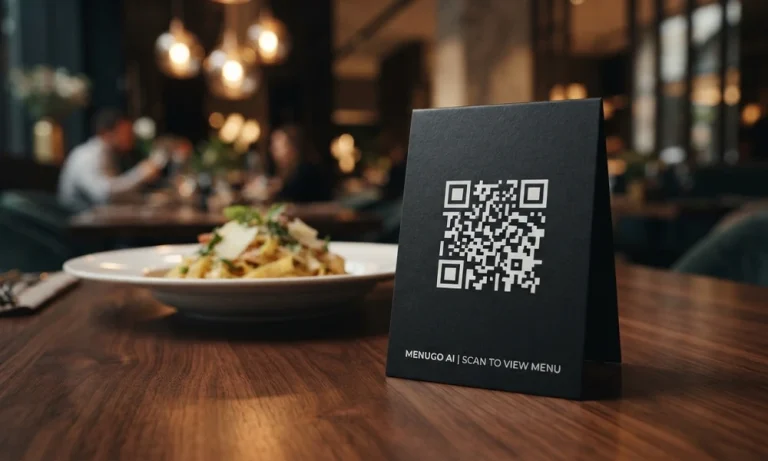
The restaurant floor moves fast. Kitchens face daily challenges with changing ingredient availability, fluctuating supply prices, and shifting guest expectations. Paper menus struggle to keep pace with these realities. A printed error costs money and time to correct. Modern hospitality requires a more flexible tool.
A premium digital menu for restaurants solves these challenges by transforming static lists into dynamic assets. It bridges the gap between kitchen capabilities and the guest experience.
The True Cost of Paper Menus
Traditional printing slows down operations. When an ingredient runs out mid-shift, servers must manually explain the shortage to every table. This process increases table turn times and adds friction to the dining experience.
Recent hospitality analysis highlights that detailed digital descriptions improve customer confidence by 68%. Relying on paper means missing out on this clarity. A digital system ensures that what guests see on their screens always reflects what the kitchen can actually serve.
Seamless Updates and Zero Reprinting Costs
Menu flexibility drives profitability. Chefs can introduce daily specials, adjust prices to match market costs, or hide out-of-stock items instantly. This agility removes the overhead costs of redesigning, printing, and shipping physical menus.
By utilizing a flexible QR menu for restaurants, management can update options in real time through an easy-to-use editor. A single table QR code remains identical, even when the underlying food items or prices change completely.
Overcoming the Language Barrier Globally
Hospitality is a global business, but communication barriers often limit dish discovery. Traditional translation workflows require hiring translators, maintaining separate files, and managing duplicate data entry.
Premium platforms integrate automatic, accurate multilingual rendering. Proper names and categories stay intact while descriptions translate seamlessly into multiple languages with a single click. This ensures international guests can order with absolute confidence.
Clearer Descriptions Drive Higher Check Averages
Unfamiliar terms cause hesitation at the table. When guests do not understand a description, they default to basic, lower-margin options. Clear, well-organized mobile layouts remove that ambiguity.
Using high-resolution photos and detailed allergen breakdowns helps guests choose confidently. A clean layout acts as a quiet, effective salesperson on every phone screen. It encourages diners to explore premium dishes and add-ons without feeling rushed.
Focus on the Experience, Not the Code
Technology should support hospitality, not complicate it. Restaurateurs do not need intricate point-of-sale setups, heavy application downloads, or third-party commission structures to show diners what is available today.
The goal is to maintain a simple, focused browsing experience for guests. Diners scan, browse, and choose. The technology remains invisible, keeping the focus entirely on the culinary creation.
Frequently Asked Questions
- How do digital menus save operational time for restaurant staff?
Staff no longer spend time tracking down old paper menus or explaining sold-out dishes. Updates happen instantly in the background, keeping servers focused on guest hospitality.
- Do guests need to download a mobile app to view the menu?
No. Guests scan a table QR code using their standard smartphone camera. The interactive mobile layout opens directly inside their web browser instantly.
- Can I translate my menu items without messing up the proper names?
Yes. The platform’s translation logic preserves your original menu hierarchy and specific dish identities while accurately translating descriptions for international diners.
Step-by-Step: Moving from Print to Digital
- Capture Your Current Menu: Take a clear photograph of your existing paper menu using your phone.
- Let AI Process the Data: The system reads your specific categories, items, and pricing structures automatically.
- Refine and Customize: Use the editor to add rich descriptions, update pricing, or insert high-quality imagery.
- Deploy Table QR Codes: Print and position your custom table tents so guests can access the digital interface instantly.